
Break Thirty
Published on
December 4, 2025
.svg)


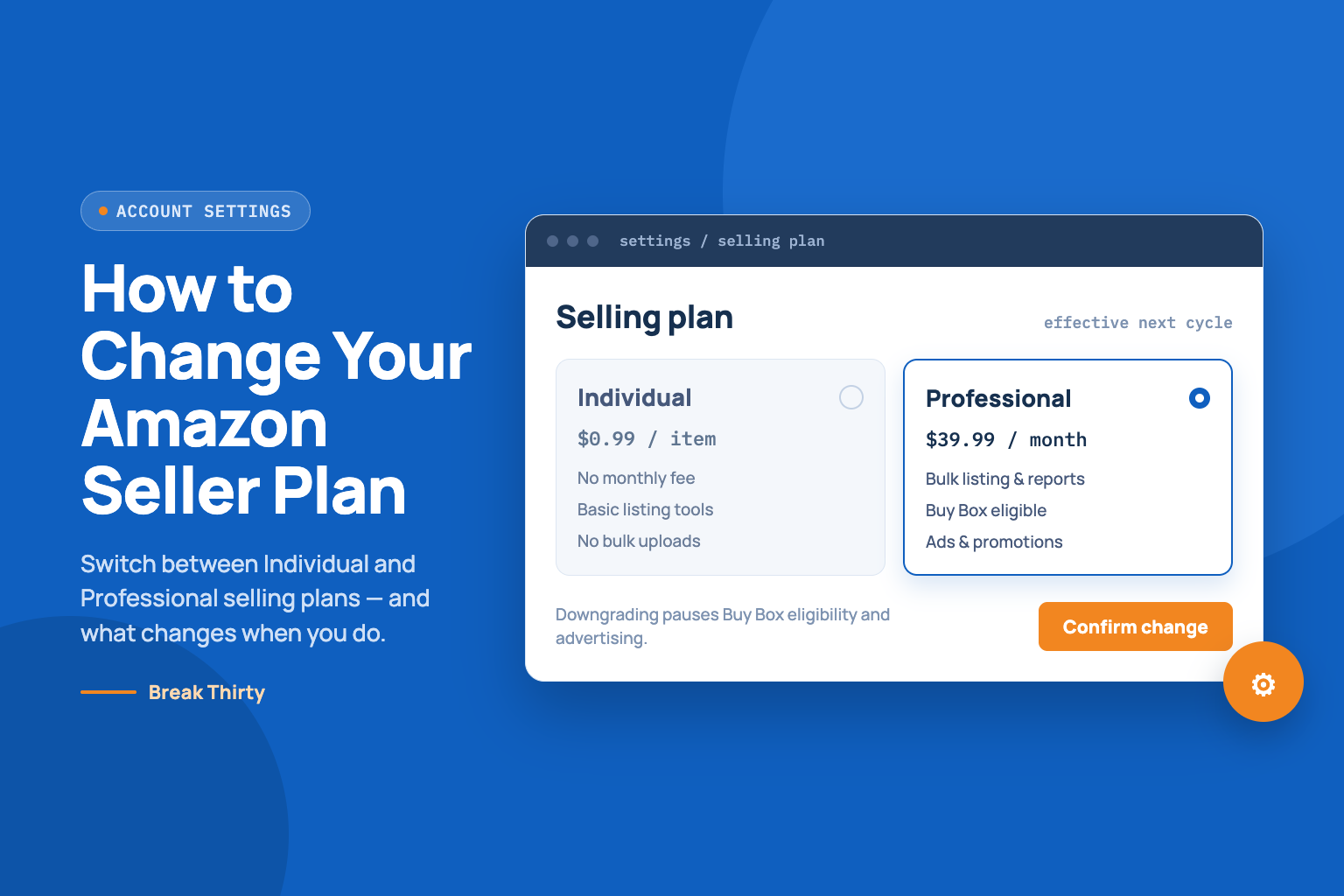
If you’re an Amazon seller wondering how to change your Amazon seller plan, you’re in the right place.
As your business grows or slows, the selling plan (Individual vs. Professional) that you started with may no longer fit.
Switching plans in Seller Central is straightforward – it just takes a few clicks.
In this guide, we’ll explain the key differences between plans and walk you step-by-step through upgrading or downgrading your account, with pro tips and FAQs along the way.
Amazon offers two main selling plans – Individual and Professional.
No monthly subscription. You pay $0.99 per sale, on top of referral fees, making it ideal for casual or part-time sellers and for sellers with fewer than 40 items/month.
This plan gives you the essential tools to list and sell, but you won’t have access to bulk listing tools, advanced reports, or the Buy Box (unless you use FBA), and you cannot sell in certain restricted categories.
Professional plan costs around $39.99 per month regardless of sales volume. Best for sellers who list 40+ items/month.
Includes all the advanced tools and programs: bulk upload, automated pricing, Amazon ads, brand registry and stores, and eligibility for special promotions.
Switching your plan doesn’t erase your listings or reviews – it simply changes your fees and available features.
It’s smart to periodically review your sales volume and goals to make sure you’re on the right plan for your needs.
You might ask, “Should I upgrade or downgrade?” You need to select the right Amazon selling plan by comparing options and choosing the right package of tools and services for your business.
Here are some common scenarios.
1. Downgrade to Individual
If your sales have dipped below ~40 items per month, the $39.99 fee may no longer be worth it.
Sellers testing new products or selling only a handful of items can save money by switching to Individual (no monthly fee).
For example, one guide notes it’s time to consider downgrading if “you sell fewer than 40 items per month” or if the professional fee “isn’t worth your current sales volume.
2. Upgrade to Professional
If your sales volume picks up beyond ~40 items/month or you need pro features, upgrading makes sense.
Once you regularly exceed that break-even point, the flat fee pays off.
A Professional plan also unlocks benefits like bulk inventory management and promotions (which can grow your business).
Amazon itself notes that you can switch or cancel your selling plan at any time after registration.
But it’s wise to track your monthly sales and mark a calendar reminder to revisit your plan periodically.
For example, a seasonal seller might start the year on Professional, then switch to Individual during slower months to save on fees.
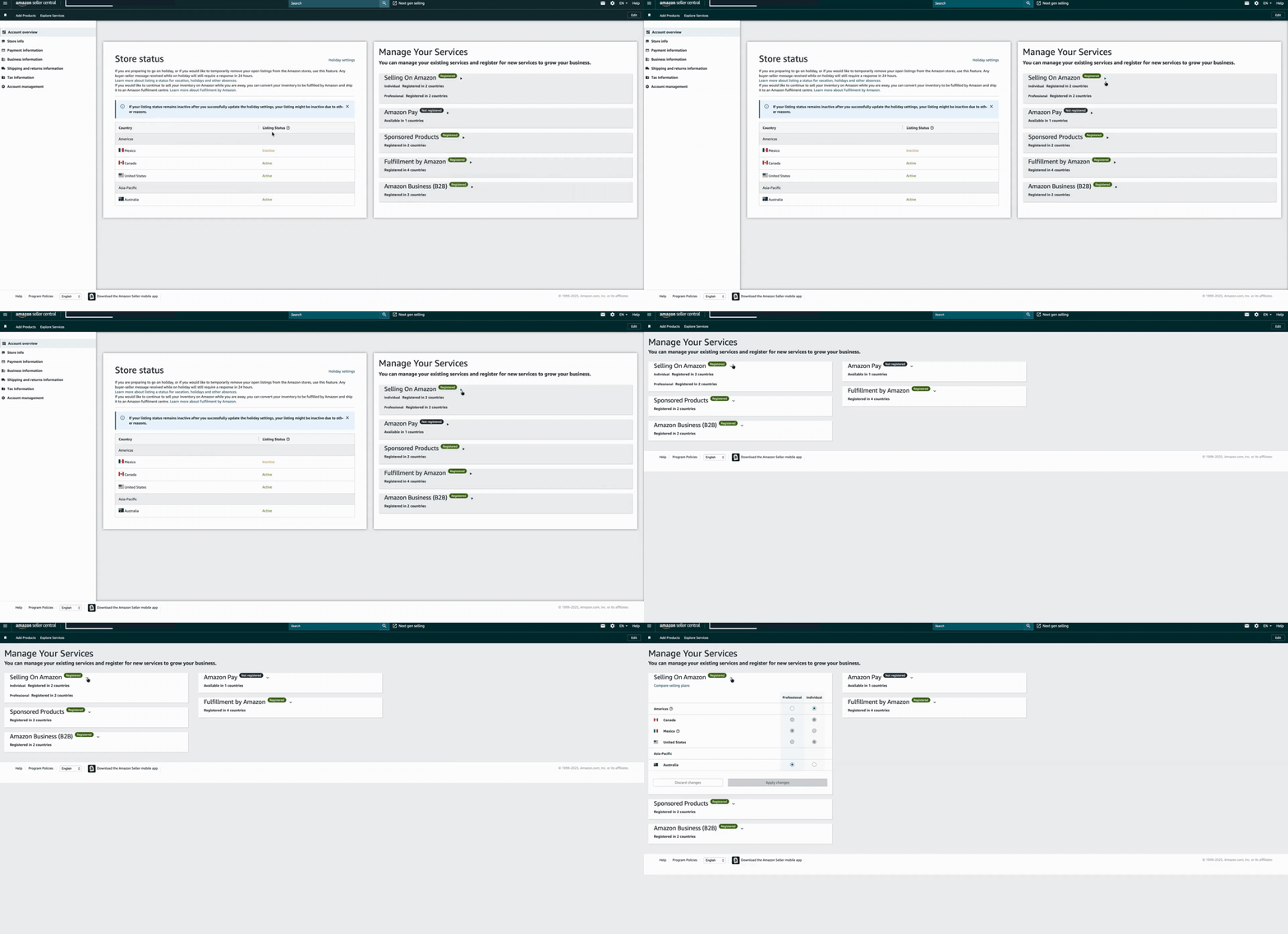
Changing your selling plan happens in Seller Central.
Below is a simple step-by-step process for both directions (Individual and Professional).
The exact menu labels may vary slightly depending on Amazon’s interface updates, but the steps are essentially the same.

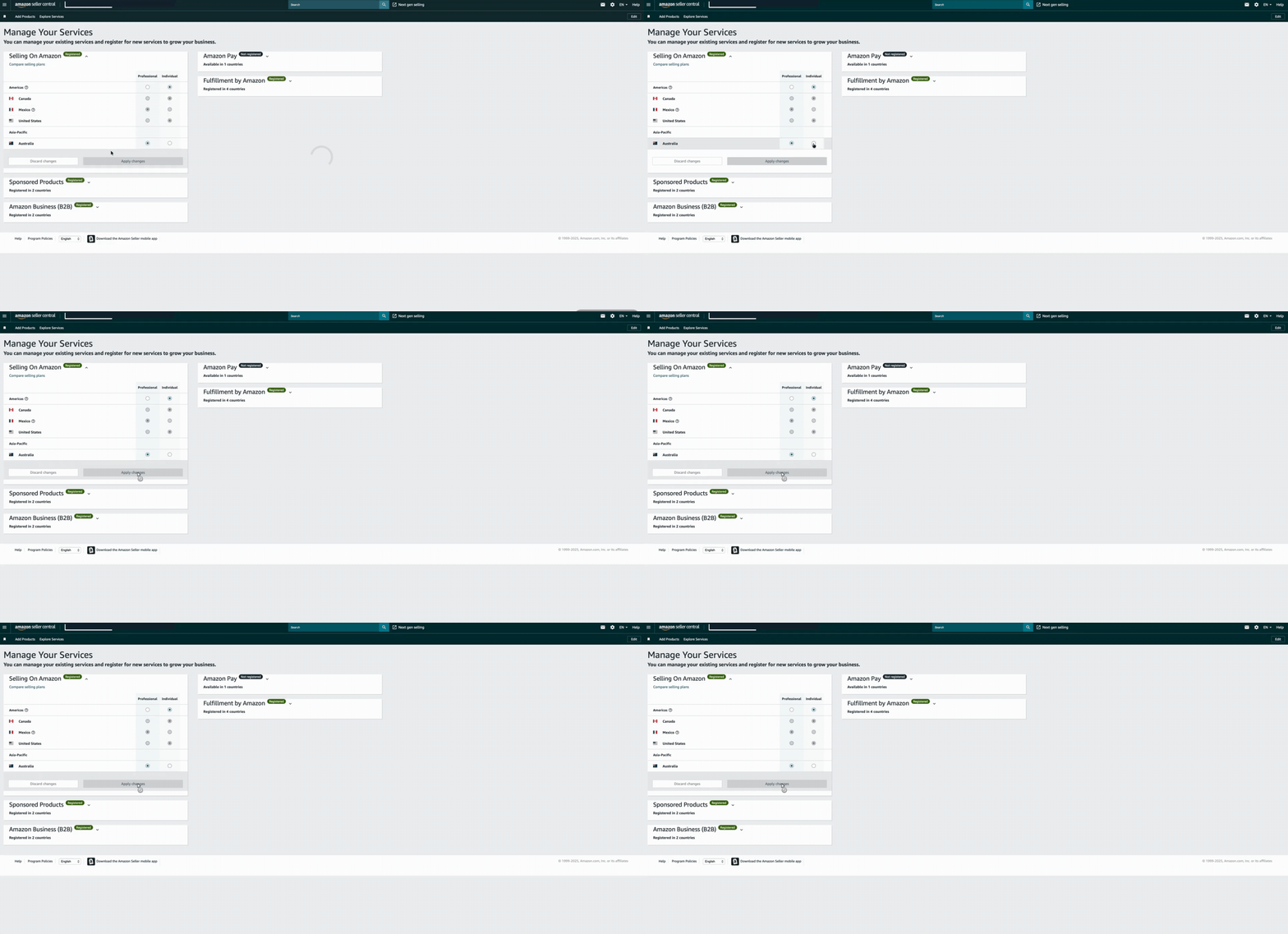
Now you’ll see the option to change plans. You have two choices.
Upgrade to Professional
If you’re on an Individual plan and want more features, select Professional.
On some screens, this appears as a button or link that says “Upgrade.” Confirm the change. Your Professional subscription (and $39.99 fee) will begin right away.
Downgrade to Individual
If you’re on a Professional plan and want to save fees, select Individual.
On newer layouts, you may need to click the drop-down arrow under Selling on Amazon and choose Individual for each of your active marketplaces (for example, US, EU, etc.).
In older layouts, there is often a Downgrade button right under your current plan. Click Downgrade or select Individual and confirm. Apply changes and confirm.
After selecting the new plan, read any on-screen warnings and click Apply changes or Proceed. Amazon will confirm the switch.
When changing your Amazon seller plan, especially if downgrading, you may face common issues. Knowing how to address these challenges can help you make informed decisions and ensure a smoother transition.
1. Effective date and Fees
Typically, a Professional upgrade takes effect immediately (with billing starting right away).
A downgrade to Individual will take effect after your current billing cycle ends – you keep the rest of the month you paid for, and the change kicks in next month. Once confirmed, your account is set to the new plan.
After switching, you’ll notice the new fee structure on your next invoice.
Your existing listings, ratings, and inventory are unaffected, but be mindful of plan limits (for example, you can only list up to 40 items/month on Individual).
Moving to Individual stops the $39.99 monthly charge (you’ll only pay the per-item fees going forward), but Amazon does not prorate the current month’s fee.
You won’t get a refund for the unused portion of the month you already paid.
2. Pending orders
If you have pending sales or returns, Amazon may delay the switch a bit.
Pending transactions (sales or refunds) in progress can postpone the downgrade.
It’s a good idea to clear out any outstanding orders before switching plans.
3. FBA and features
Both plans can use FBA.
Downgrading does not remove your FBA eligibility, but you’ll pay FBA fees plus the $0.99 per-item fee under Individual (instead of the flat monthly fee under Professional)
Some programs (like Amazon Business or Brand Registry) require a Professional plan.
If you’re enrolled in such a program, Amazon will not let you downgrade until you leave it.
4. Switching anytime
Amazon explicitly states you can “switch or cancel your selling plan at any time” once registered.
This gives you flexibility to adapt as your business changes.
Changing your Amazon selling plan is a simple, self-service process in Seller Central.
First, decide why you’re switching (cost savings or additional features) based on your sales volume and goals.
Then, in Seller Central → Settings → Account Info → Manage Your Services, select the plan you want and apply the change.
Remember that an upgrade takes effect immediately, while a downgrade applies next month. After switching, just focus on selling – Amazon will bill you under the new plan.
Keeping your selling plan aligned with your business is a good habit.
Regularly review your sales in Seller Central and adjust the plan if needed.
If you ever have trouble, Amazon’s help pages and seller forums (for example, see Amazon’s own guide or the Seller Help pages) provide guidance.
Not sure which selling plan is right for your business?
We help sellers optimize their entire Seller Central setup – from account settings to listings, PPC, and growth strategy.
If you’d like expert guidance, book a free Amazon account audit and let us walk you through the best setup for your goals. Good luck growing your Amazon business!
Can I change Amazon plans mid-month?
Yes. If you downgrade to Individual, your new status takes effect at the next billing cycle – you keep the month you’ve already paid for. If you upgrade to Professional, the change is immediate, but billing is on Amazon’s schedule (usually, you’ll be charged the next day or so)
What if the downgrade option isn’t visible?
Make sure your account is in good standing and not enrolled in any services that require Professional (such as certain restricted categories, Brand Registry, etc.). If you don’t see the Individual option, you may need to disenroll from those programs first. Also, verify that you’re logged into the correct Seller Central account if you have multiple marketplaces.
How long does the process take?
The switch is usually processed quickly. Most changes take effect within a few hours to a couple of days. If you have refunds or orders in progress, that may delay it slightly. But you’ll receive a confirmation message once Amazon processes the change.
Can I switch back and forth?
Absolutely. You can upgrade from Individual to Professional (or vice versa) whenever you want. Some sellers start with Individual to test products, then upgrade to Professional once sales grow. Likewise, you can downgrade again if you slow down.





How we can tailor your Shopify theme or build a brand-new store from the ground up.
© 2025 | All rights reserved.


